Using the Huebsch stacked washer and dryer (HTEBCASP178TW01)
Wash on the bottom, dry on top. Check the washer, pick your wash, pay, then load. That way, if something is wrong, you find out before your clothes and soap are in the machine.
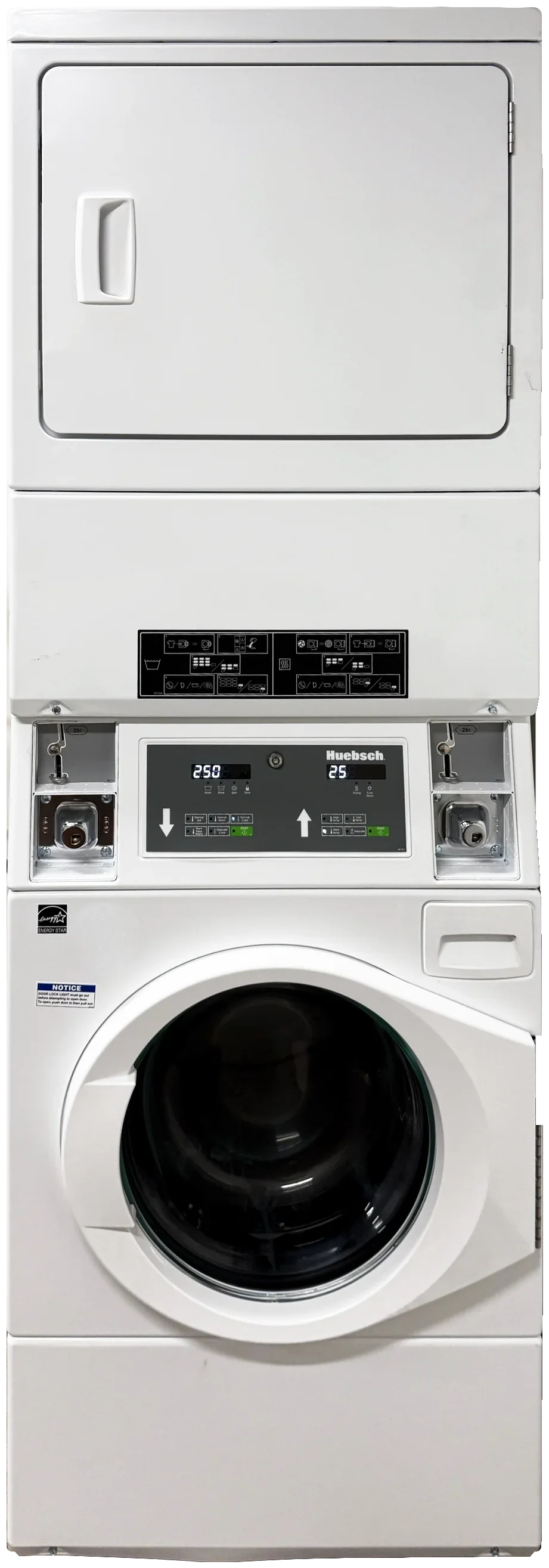
This page covers the white Huebsch stacked washer and dryer: a front-load washer on the bottom and a dryer on top, in one cabinet (model HTEBCASP178TW01). The control panel between them has two halves. The left half, marked with an arrow pointing down, runs the washer. The right half, marked with an arrow pointing up, runs the dryer. Each half has its own coin slot, display and green START button.
A wash takes about 30 minutes. How long the dryer runs depends on how much you pay. Only drying? Skip to Dry a load.
Wash a load
1. Look first
Take 30 seconds before you pay. If anything below is off, use another washer and tell me (see If something goes wrong).
The washer's display, on the left half of the control panel, shows a price.
No code starting with E shows on the display, and no out-of-order sign is on the machine.
The door latch is in place and not broken. If the door can't lock, the wash can't start.
It doesn't smell bad, and no water is standing in the drum.
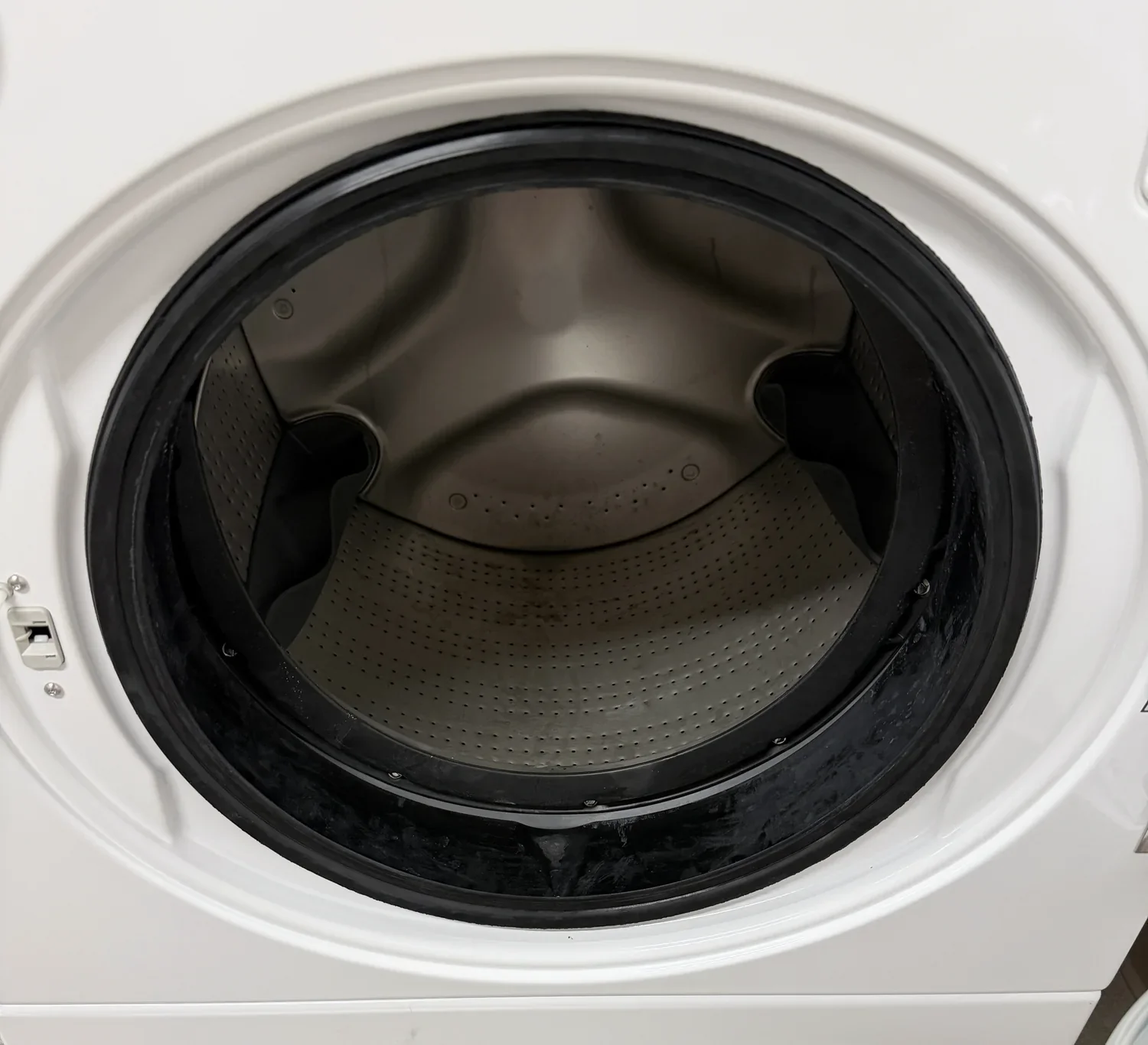
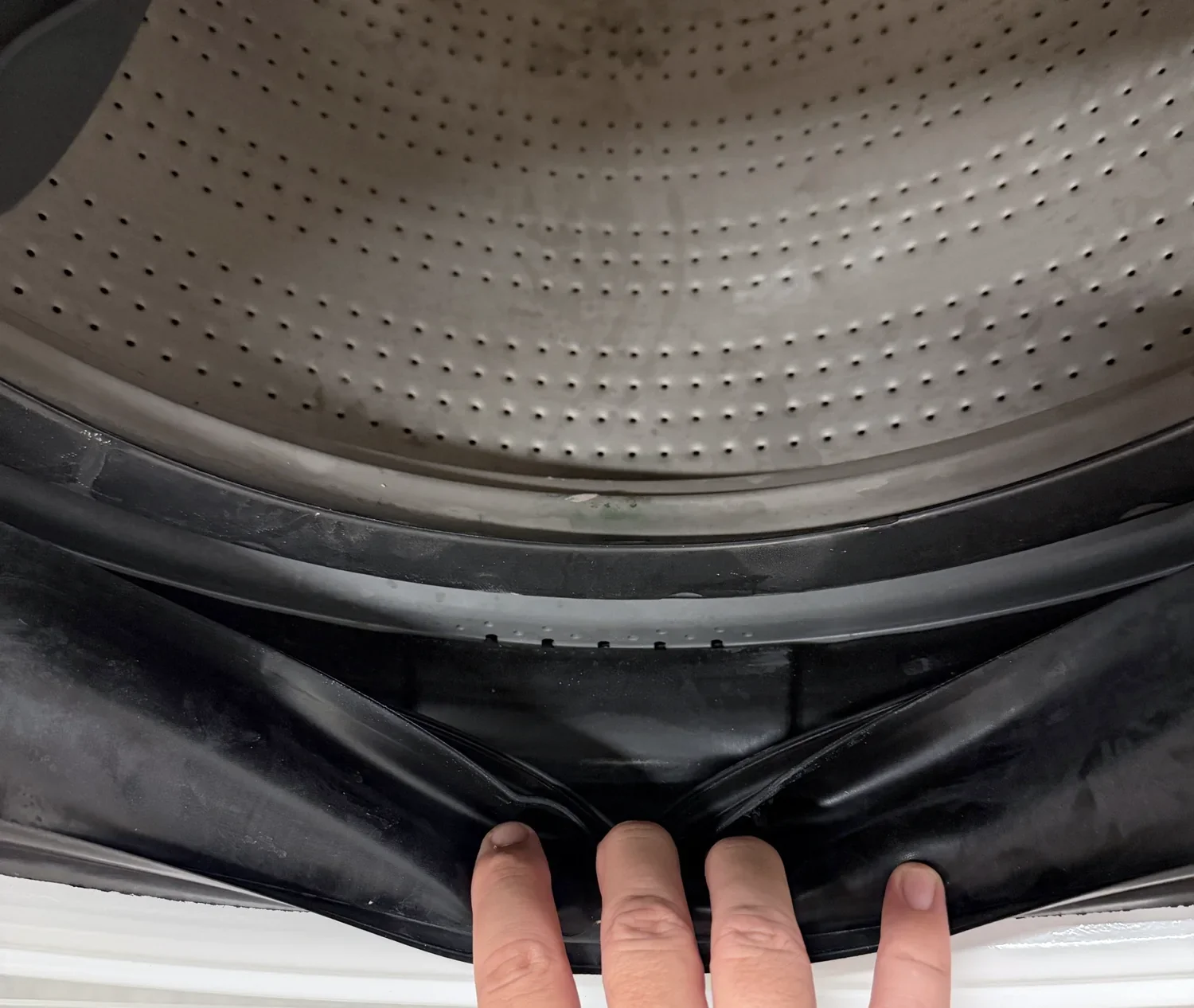
Run your hand around the inside of the drum and look in the rubber seal around the door opening. Both should be empty.
Wipe the door glass and the rubber seal if they need it.
2. Pick your wash
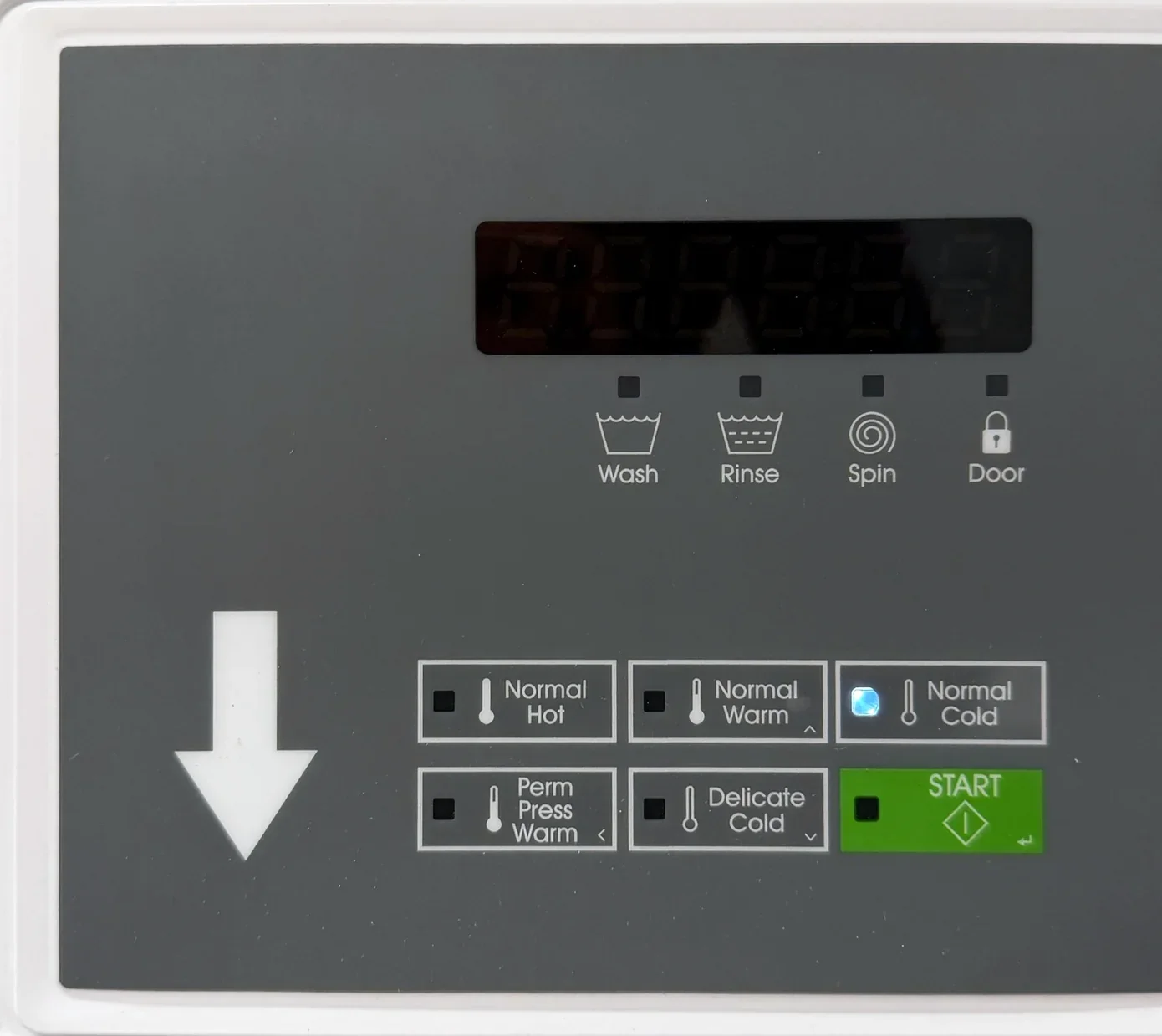
Use the left half of the control panel, marked with the arrow pointing down. Press one of its five wash buttons. The display shows the price for that wash.
Normal Hot: Whites, towels, sheets and heavily soiled items, if the care label allows.
Normal Warm: Most everyday loads.
Normal Cold: Darks, bright colors and lightly soiled items.
Perm Press Warm: Permanent press, synthetics and blends. Easier on wrinkles.
Delicate Cold: The gentlest. Delicate fabrics. Also the one for a blanket or comforter: the gentle wash keeps a bulky load balanced.
This washer has no Extra Wash or Extra Rinse buttons. Not sure which wash? Check the care label inside the garment.
3. Pay
Pay before you load. If the washer won't take your payment, nothing of yours is inside it yet.
Pay with quarters or the payment app posted in your laundry room. What's accepted varies by building.
Quarters for the washer go in the coin slot at the left end of the control panel.
The display counts down as you pay. With an app, it counts down fast.
When it's paid, the START light flashes and the display shows PUSH StArt.
If the washer took your money and START isn't flashing, don't add more. Tell me.
4. Load
Empty every pocket. Coins, pens, tissues and lighters damage clothes and the washer.
Zip zippers and shake items out so nothing is balled up.
If it would fit in a coffee cup (socks, lingerie, masks), put it in a mesh laundry bag. Small items can get caught in the rubber seal or pulled into the drain pump.
Wash similar fabrics together so the load balances: towels with towels, not jeans with thin synthetic shirts. An unbalanced load can stop the spin and leave your clothes soaking wet.
Add your laundry a handful at a time.
Right-size it: at least two five-gallon buckets' worth, at most three.
Tuck everything inside the rubber seal.
Keep out of the washer: sand, rubber-backed rugs, and anything with fuel, solvent, cooking oil or other chemicals on it. Never let children play on or in a washer.
5. Add soap
2 tablespoons of HE detergent, liquid or powder. Never more than 1/4 cup. A full cap is several loads' worth.
HE detergent only. Look for "HE" on the label. Regular detergent, dish soap and hand soap make too many suds.
No pods.
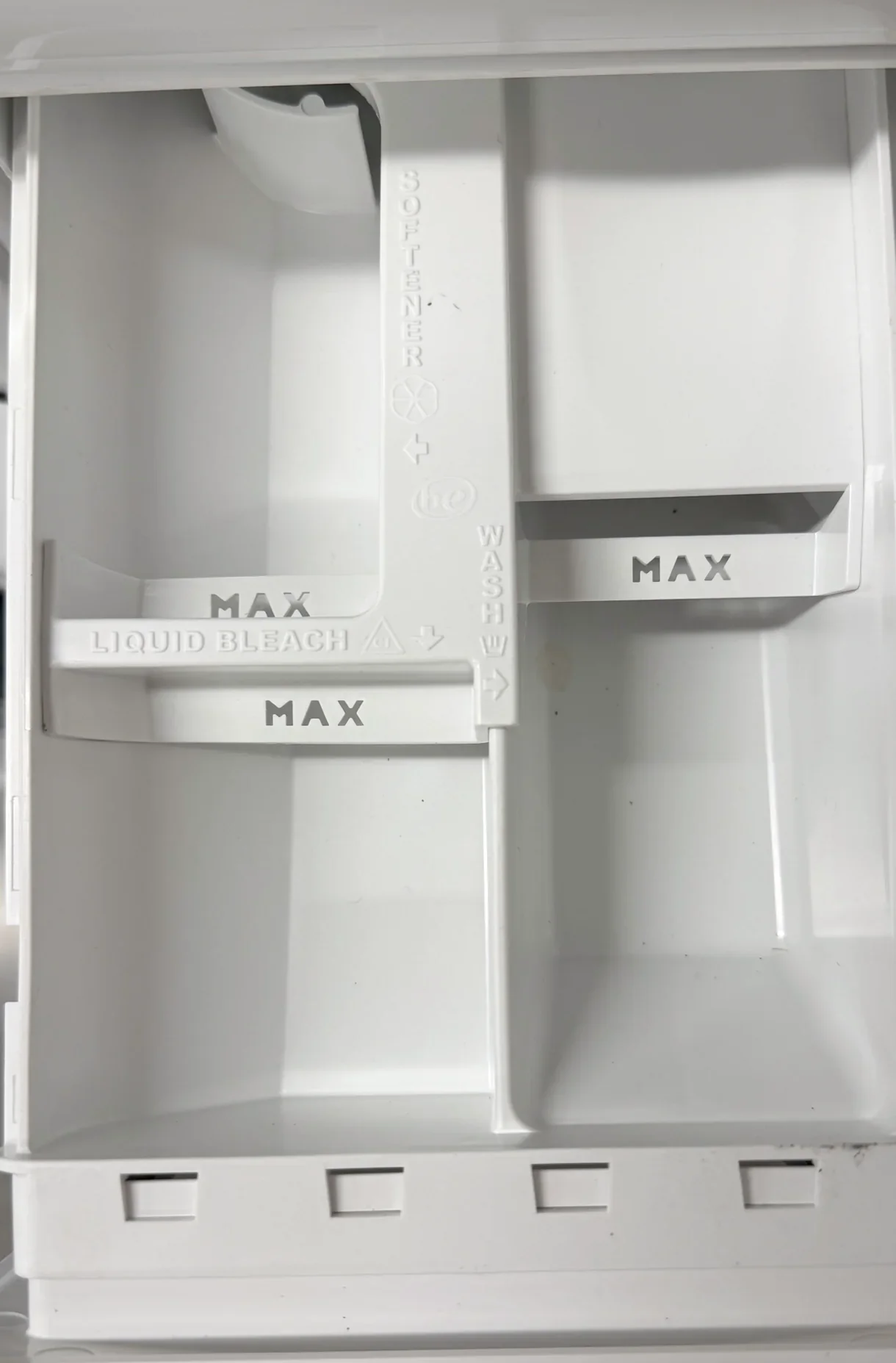
Pull out the soap drawer at the top right of the washer, just below the control panel. Pour the detergent into the compartment marked WASH.
Bleach: liquid chlorine bleach only, in the compartment marked LIQUID BLEACH. Fabric softener: only in the compartment marked SOFTENER. Don't fill past the MAX lines.
Close the drawer.
More on the Soap page.
6. Close the door and press START
Close the door firmly until it clicks. If the display says CLoSE door, push it shut again.
Press the green START button on the washer's half of the panel, the left half.
The door locks and the Door light comes on. The Wash, Rinse and Spin lights show which part is running, and the display counts down the minutes.
Want a different wash? Change it in the first minute or two, while the washer is still filling. After that, the buttons do nothing.
A few minutes in, look through the door. You should see wet clothes tumbling with little or no foam. Suds mean too much soap; use less next time.
7. Come back before it ends
A wash takes about 30 minutes. The display counts down, and the door stays locked until the end.
When the display shows 00 and the Door light goes out, push the door in, then pull it open.
The washer is yours only for the paid cycle. Laundry left after it ends may be moved by the next person (see Idle & Abandoned Stuff on the Policies page).
When you unload, turn the drum by hand and feel for anything you missed. Pull down the fold of the rubber seal and look inside it, especially at the bottom; socks and hair collect there.
Wipe the door glass and the rubber seal.
Leave the door open so the inside can dry.
Drying next? Move your load to the dryer on top and start at Dry a load, below.
Dry a load
Clean the lint trap, load, pick a heat, pay, then press START.
1. Look first
The dryer's display, on the right half of the control panel, shows a price. It doesn't show a code, and there's no out-of-order sign.
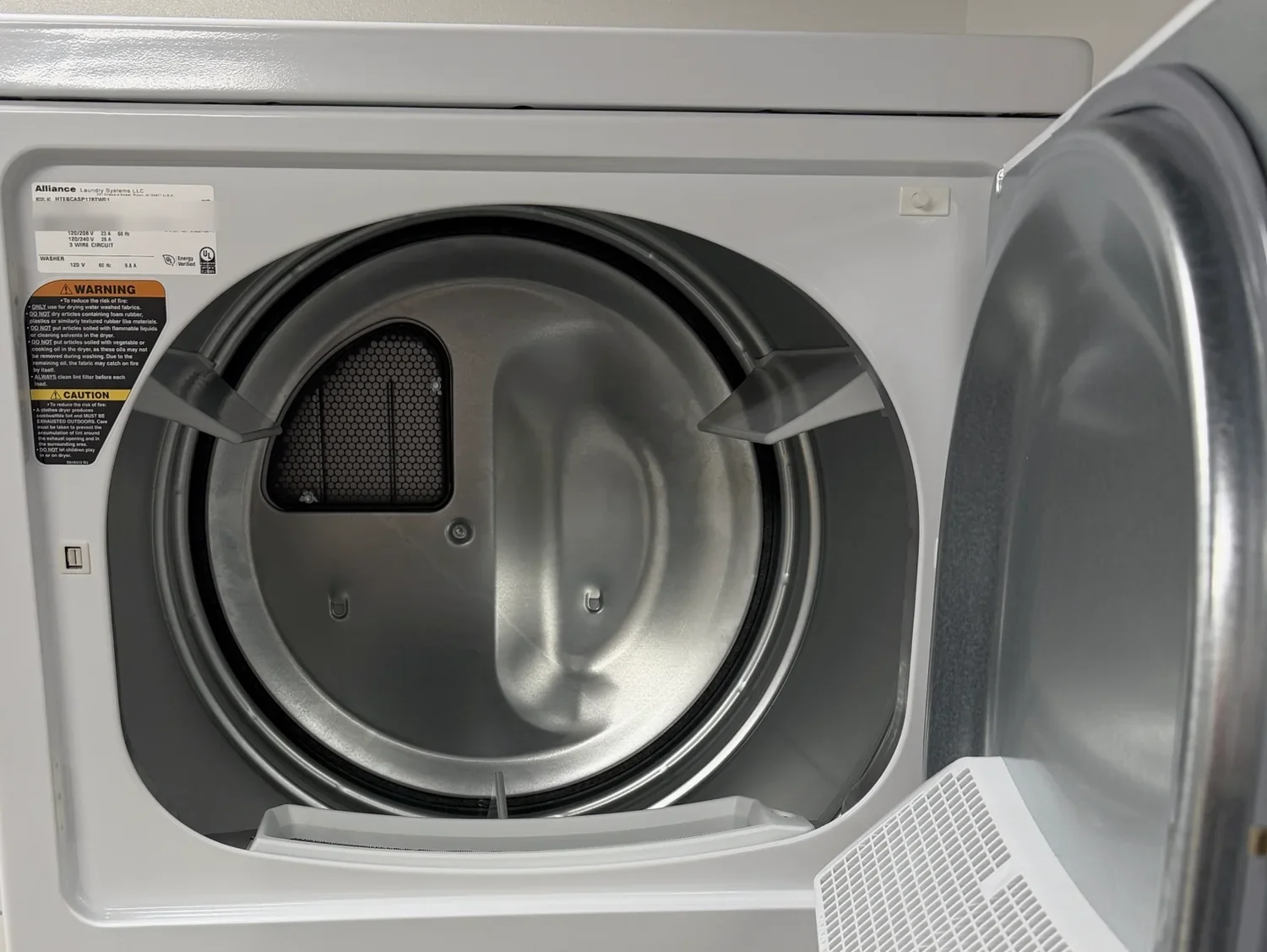
The drum is empty. Check for things left behind.
The door closes firmly and stays shut.
Nothing smells like burning.
Wipe it down first if it needs it.
2. Clean the lint trap
Do this before every load, and again after.
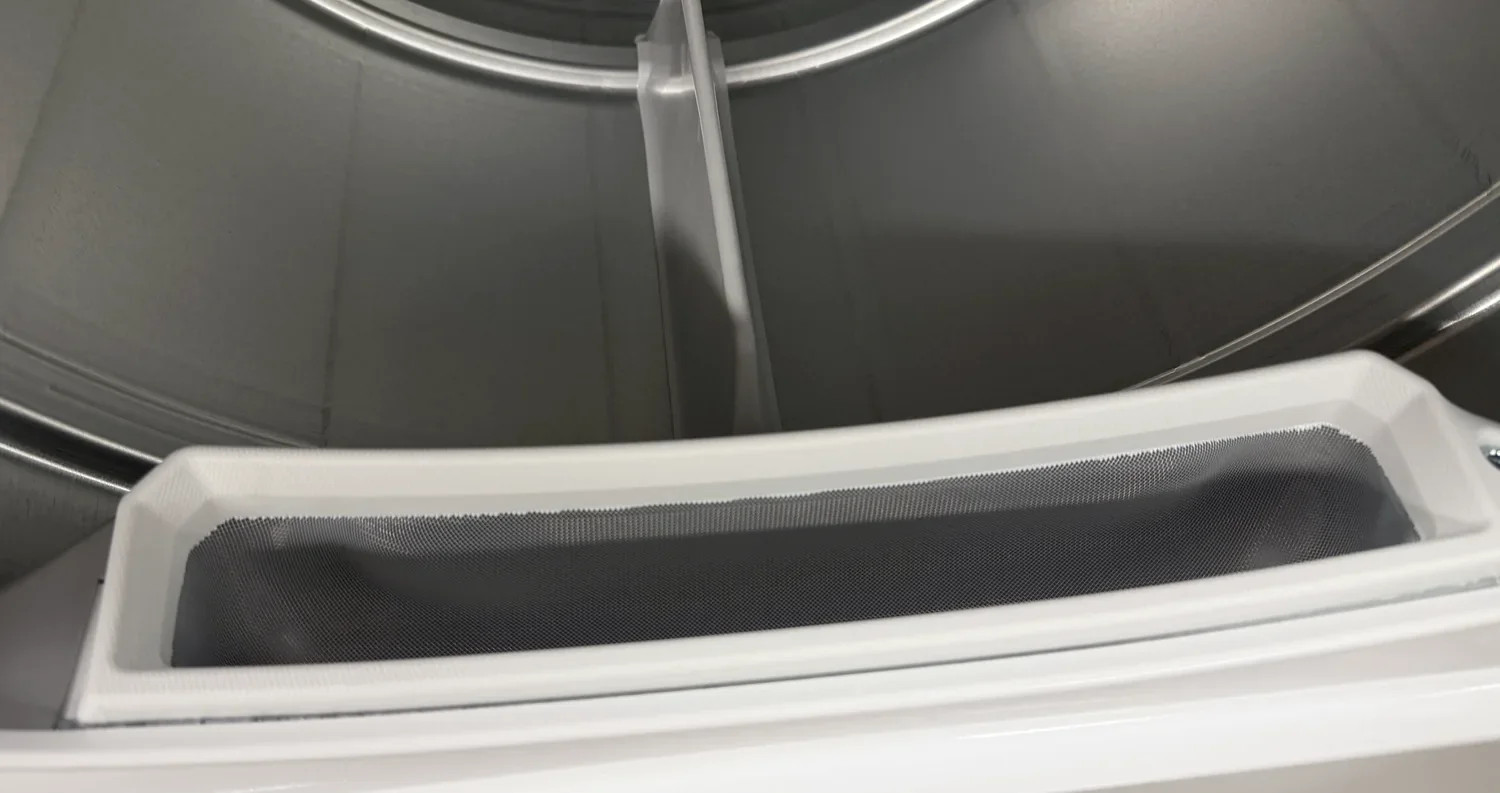
Open the dryer door. The lint trap is the mesh screen in a white frame at the bottom of the door opening.
It stays in place. Don't try to pull it out.
Wipe the lint off the screen with your fingers. Lift it up and away. Don't push it down through the screen.
Throw the lint in the trash.
A clean lint trap dries your clothes faster and keeps the dryer safe.
3. Load
Empty pockets: lighters, matches, pens, coins and tissues.
Fill the drum about half full. Clothes need room to tumble.
One dryer sheet is enough. Two is the limit. More than two is not allowed: it means extra cleaning of the dryer and its ducts.
Close the door firmly.
Keep out of the dryer: rubber-backed rugs and mats, foam pillows, plastic, and anything with oil, gasoline or chemicals on it, even after washing. Hang those to dry. They can catch fire.
4. Pick a heat
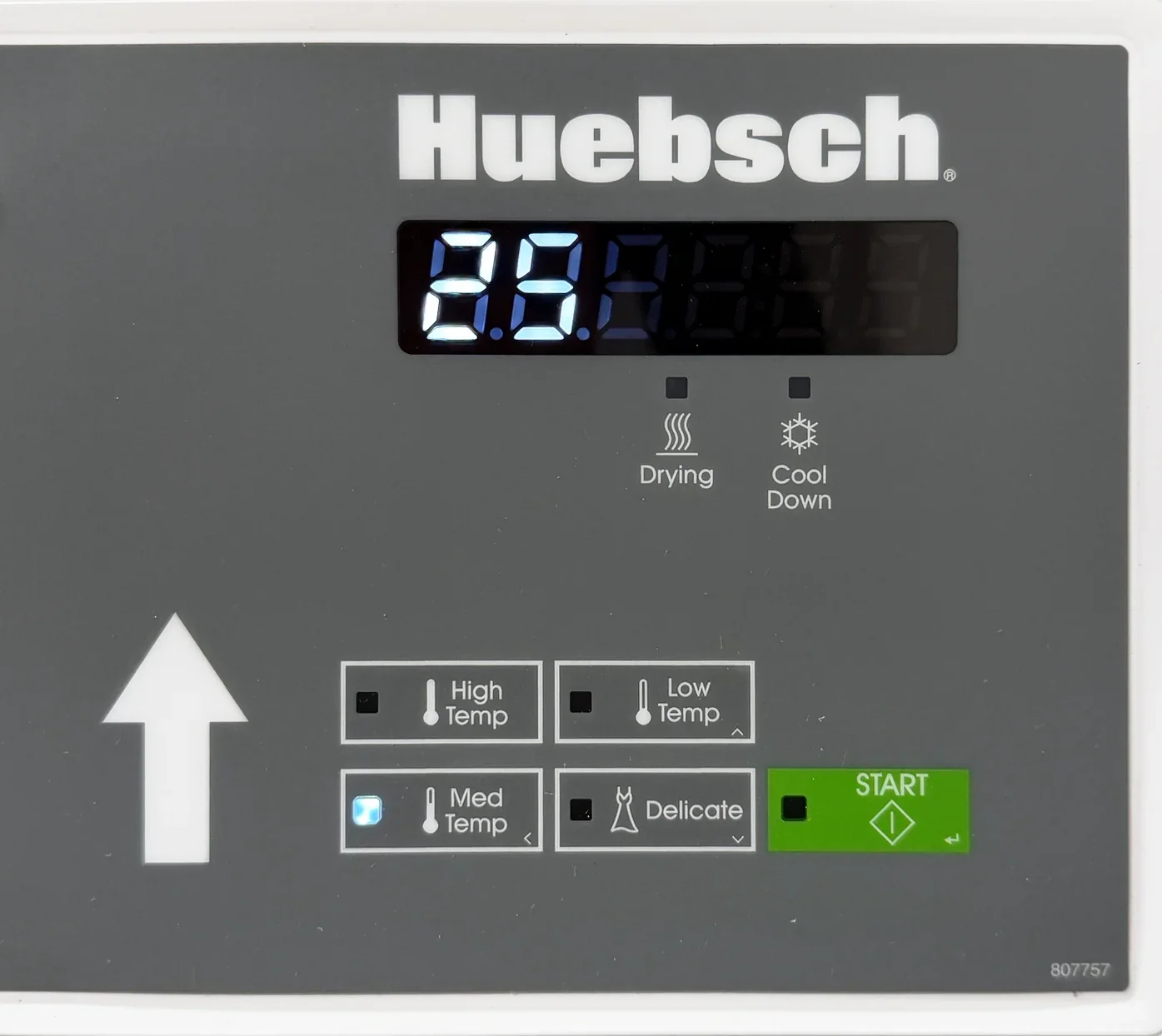
Use the right half of the control panel, marked with the arrow pointing up. Press one of its four heat buttons.
High Temp: Towels, jeans, sheets and heavy cottons.
Med Temp: Everyday loads.
Low Temp: Permanent press, synthetics and blends.
Delicate: Light or heat-sensitive things.
Not sure? Check the care label inside the garment. Every setting uses heat.
5. Pay
Pay with quarters or the payment app posted in your laundry room. What's accepted varies by building.
Quarters for the dryer go in the coin slot at the right end of the control panel.
The price on the display is the least it takes to start. Every cycle ends with a few minutes of cool-down without heat, so less wouldn't dry anything.
The display counts down as you pay. With an app, it counts down fast.
When it's paid, the light on the green START button flashes.
6. Press START
Make sure the door is closed. The dryer will not run with it open.
Press the green START button on the dryer's half of the panel, the right half.
You should see the Drying light come on and the minutes count down.
7. While it dries
Need more time? Pay again before the Cool Down light comes on. Each quarter adds minutes, up to 99 minutes in all.
Opening the door stops the dryer. Close the door and press START to keep going.
Want a different heat? Press another heat button. It costs nothing more.
Near the end, the Cool Down light comes on. The dryer tumbles without heat for the last few minutes, so your clothes are safe to handle.
Let the cool-down finish. If you must stop early, take everything out at once and spread it out to cool.
8. When it's done
The display shows 00.
Take your clothes out right away.
Clean the lint trap again.
Check the drum for anything left behind.
The dryer is yours only for the time you paid for. Laundry left after it ends may be moved by the next person (see Idle & Abandoned Stuff on the Policies page).
What the displays mean
The washer's display is on the left half of the control panel.
A price: Ready. Look first, pick your wash, then pay.
A smaller amount: Partly paid. Pay the rest.
PUSH StArt, with the START light flashing: Paid. Load, add soap, close the door and press START.
CLoSE door: The door isn't shut. Push it closed until it clicks.
Minutes counting down: Washing. Come back before it reaches 00.
Hot (flashing): The water is too hot to drain yet. Wait.
00: Done. When the Door light goes out, open the door and unload.
E dL1: The door didn't lock. Open it, close it firmly and press START. If it comes back, tell me.
Any other code starting with E, oUt oF ordEr, or anything else: A fault. Don't use the washer. Tell me, with a photo of the display.
The dryer's display is on the right half.
The price: Ready. Load, pick a heat, pay.
A smaller amount: Partly paid. Pay the rest.
START light flashing: Paid. Close the door and press START.
Minutes counting down: Drying. The Drying or Cool Down light shows which part. Come back before it reaches 00.
00: Done. Unload now.
Anything else, such as a code starting with E: A fault. Don't use the dryer. Tell me, with a photo of the display.
Clothes still damp?
Clean the lint trap and dry again.
Don't overfill. Split a big load in two.
Dry heavy things, like towels and jeans, apart from light things.
Add time while the Drying light is on. Once the dryer has stopped, starting it again takes the full price on the display.
If loads take longer than usual to dry, text or email me, or tell building maintenance. The vent may be blocked.
If something goes wrong
Stop using the machine and tell me. Don't force the washer door, unplug the machine or try a repair.
Clothes locked in the washer? Wait 30 minutes. Most errors that lock the door clear themselves.
Dryer stopped but minutes still show? Close the door firmly, wait 10 minutes and press START. If it stops again, tell me.
Power went out? When it comes back, press the dryer's START to finish your time.
Washer or dryer not working? The other one may still be fine to use.
To reach me, text the number posted in your laundry room, email info@stuffthatspins.net, or use the contact form. Send your full name and unit, the laundry room and machine, the date and time, what happened, and a photo of the display. I reply within 1 to 3 business days.
Refunds: if the washer or dryer fails and it wasn't something you did, I'll refund you. Ask within 7 days. Too much soap and unbalanced loads aren't refundable. Details are on the Policies page.
Emergencies: water on the floor (more than a little), smoke or sparks. Get clear and tell building staff or someone nearby right away. For fire or injury, call 911. Then let me know.
Machine facts
Brand and model: Huebsch HTEBCASP178TW01, a commercial stacked washer and electric dryer made by Alliance Laundry Systems.
What it looks like: white, one cabinet with a front-load washer on the bottom and a dryer on top. A control panel sits between them, with a coin slot at each end. Its left half, marked with an arrow pointing down, runs the washer; its right half, marked with an arrow pointing up, runs the dryer. Each half has its own display and green START button. The soap drawer is at the top right of the washer.
Payment: a quarter slot for the washer, at the left end of the control panel, and one for the dryer, at the right end. Some laundry rooms add a PayRange or Tangerpay reader; the sign in the laundry room says which.
Washes: Normal Hot, Normal Warm, Normal Cold, Perm Press Warm and Delicate Cold. No Extra Wash or Extra Rinse.
Soap: 2 tablespoons of HE detergent, never more than 1/4 cup, no pods.
Wash load: two to three five-gallon buckets' worth.
Wash time: about 30 minutes.
Washer door: locks when the wash starts. When the display shows 00 and the Door light goes out, push the door in, then pull it open.
Dryer heats: High Temp, Med Temp, Low Temp and Delicate. Every setting uses heat and ends with a cool-down.
Dryer time: set by how much you pay, up to 99 minutes. Starting takes at least the price on the display; the last few minutes of every cycle are a cool-down without heat.
Dryer door: doesn't lock. Opening it stops the dryer; close it and press START to carry on.
Lint trap: a mesh screen in a white frame at the bottom of the dryer's door opening. Clean it before and after every load.
Displays: a price means ready; PUSH StArt or a flashing START light means paid; minutes counting down means running; 00 means done; a code starting with E, or oUt oF ordEr, means a fault. For a fault, stop and tell Harlan, with a photo of the display.
Covers model HTEBCASP178TW01. Last updated November 13, 2026.